Comparison
GPS Logger vs Strava and social fitness apps
Strava-style apps are great when your main goal is sport, social sharing and training feedback. GPS Logger is built for private route history, GPX export and a personal atlas of where you have been.
Quick answer
Choose GPS Logger when you want a private route journal, GPX/KML ownership, screen-off recording and optional live sharing without building a public training profile. Choose Strava-style apps when coaching, segments and social discovery are the point.
The simple difference
Strava-style apps start from sport identity: workouts, followers, clubs, segments, public sharing and training feedback. GPS Logger starts from private route memory: where you went, when, how far, what the track looked like, and how to keep or export that record.
That makes GPS Logger a better fit for people who care less about leaderboards and more about owning a route archive: hikers, dog walkers, commuters, travellers, field workers, mappers and anyone who wants GPX files without building a social profile.
Choose GPS Logger when you want
- Private GPS route recording without account setup.
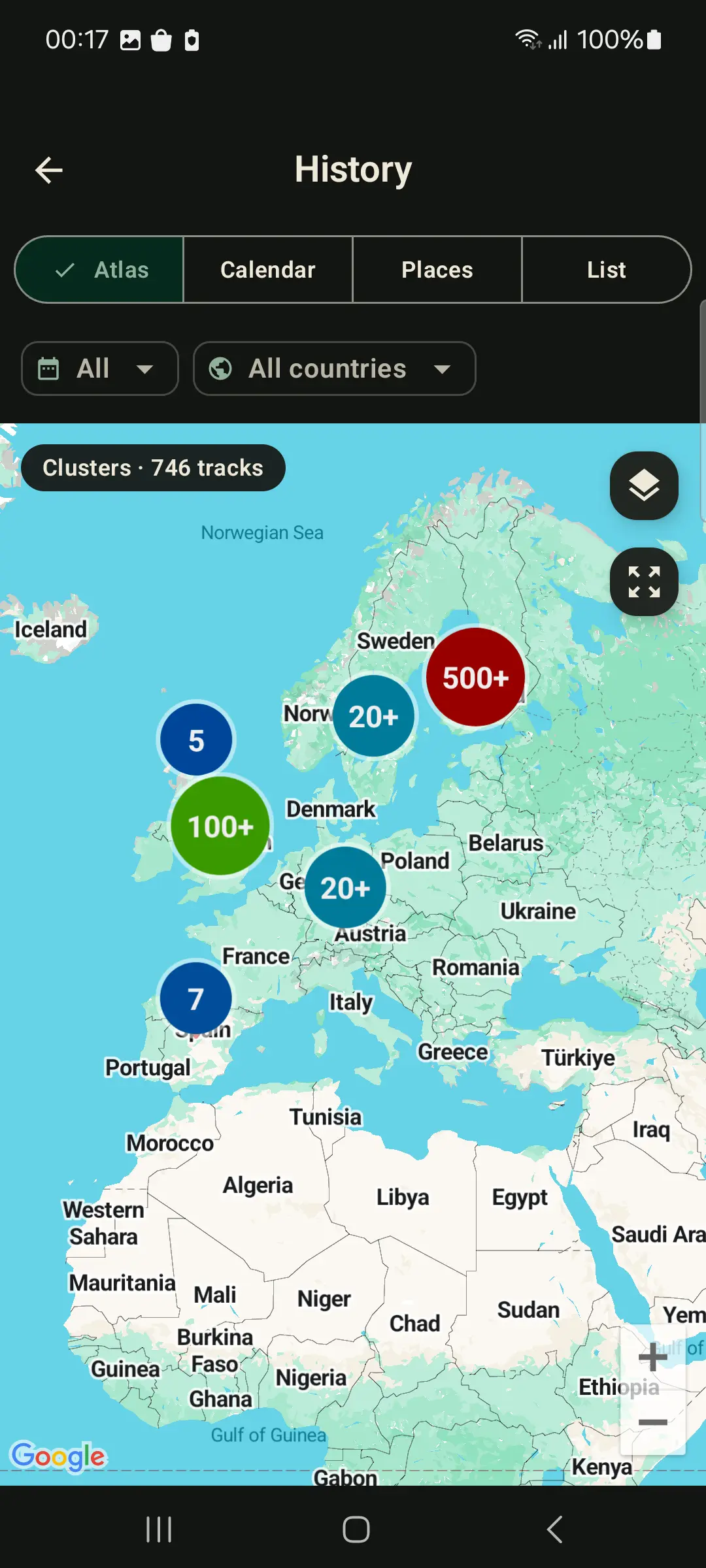
- A personal journey map, calendar, places atlas and country history.
- GPX or KML export with no lock-in.
- Opt-in live sharing with resettable code and follower limit.
- Hiking, cycling, dog walking, commuting, road trips, travel logs or field notes.
Choose Strava-style apps when you want
- Social feed, clubs, comments and athlete discovery.
- Training plans, performance comparisons or segment leaderboards.
- Public sport identity around rides, runs or workouts.
Feature comparison
- Account model: GPS Logger does not require an account for recording, history, import or export.
- Data ownership: GPS Logger exports GPX/KML and full-history GPX ZIP backups.
- Social layer: GPS Logger avoids feeds, comments and public profiles; Strava-style apps are built around them.
- Live sharing: GPS Logger shares current position with a resettable code and follower limit when you choose.
- History view: GPS Logger emphasizes a personal atlas: routes, calendar, places and countries.
You can use both
Many people keep a private GPS log for memory and export files for other services when useful. GPS Logger can record your route and export GPX/KML later. A social fitness app can handle training community if you want that layer.
Privacy difference
GPS Logger stores track history on your device. Nothing leaves unless you export, enable App Cloud live sharing, or configure Lifetime self-hosted upload. Read more in offline GPS logging and privacy.
Related guides
- How to record and export GPX tracks on Android
- How to import GPX files on Android
- Why offline GPS logging matters for privacy
- Private Google Timeline alternative for Android route history
- How to record a GPS track with the screen off on Android
FAQ
Is GPS Logger for athletes?
It can record runs and rides, but it is not a training network. Its core value is private route history, atlas views and portable files.
Can I export a GPX file for another app?
Yes. Export any saved track as GPX or KML, then use Android's share sheet or file picker with another app.
Can I import old activities?
Yes. GPS Logger imports GPX files and ZIP backups so old routes can join the same private atlas.
Does GPS Logger have public leaderboards?
No. It focuses on your private route journal rather than social ranking or public segments.