GPX tutorial
How to record and export GPX tracks on Android
GPX is a portable route file format used by mapping apps, outdoor tools, GIS software and trip archives. GPS Logger records routes on Android, saves them on your device, then exports GPX or KML when you need a copy.
Quick answer
Install GPS Logger, allow location access, tap record before you move, stop when the route is finished, then open the saved track and export GPX or KML. Recording can continue with the screen off through Android's foreground service notification.
1. Install GPS Logger
Install GPS Logger: Private Tracker from Google Play. No account is needed to record routes.
2. Allow location permissions
GPS recording needs location permission. Background location lets recording continue when the app is not visible, screen is off, or optional auto-start after reboot is enabled. Android also shows a foreground notification while recording.
3. Record your route
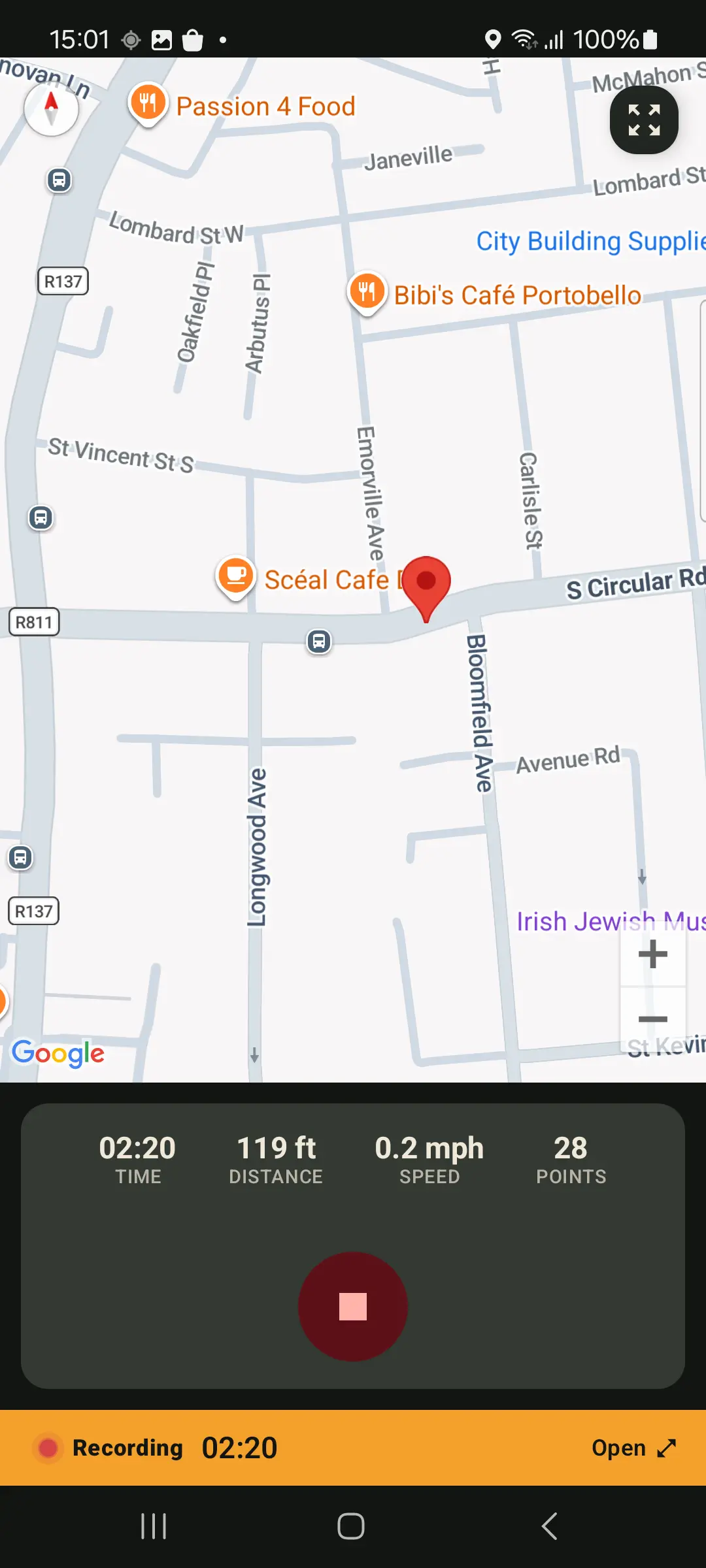
Tap record before a walk, hike, cycle ride, commute, run, road trip or field survey. GPS Logger stores route points, distance, duration and speed locally on your phone.
For screen-off recording, leave the ongoing notification enabled and avoid aggressive battery restrictions for long sessions. Android may pause background work on some phones if battery saver or manufacturer optimization is too strict.
4. Stop and review
When done, stop recording. Your route appears in history with a map, stats, speed view, calendar entry and places/country atlas context. Free users see latest 10 tracks in app history; older saved tracks stay on device unless deleted.
5. Export GPX or KML
Open a saved track, choose export, then save or share a GPX or KML file through Android. You can also create a whole-history GPX ZIP backup. Single-track export uses full stored resolution for every tier.
Testing a mapping workflow before your first recording? Download a small sample GPX city walk.
What makes a good GPX recorder?
A useful GPX recorder should do more than draw a line once. Look for these basics:
- Visible background recording so the screen can turn off without hiding location use.
- Open export so routes can move to mapping tools, backups or another app.
- Local history so old tracks remain browsable, not just scattered files.
- Import support so past GPX files can join the same archive.
- Clear privacy rules for what stays on the phone and what is sent when live sharing or exporting.
Common GPX recording problems
The route stops when the screen is off
Check that location permission is allowed, notifications are enabled, and Android battery settings are not restricting GPS Logger. For longer trips, run a short test route before relying on any phone/app combination.
The exported file looks too large
Detailed GPS tracks can contain many points. GPS Logger gently simplifies saved tracks at finalize time and exports the full stored track. Use GPX for maximum route portability and KML when you want easy viewing in map tools that prefer KML.
I already have GPX files
Use the import screen to bring old tracks into your atlas. GPS Logger can import individual files or ZIP backups, then export them again later so the app does not trap your route archive.
Next guides
- How to record a GPS track with the screen off on Android
- How to import GPX files on Android (bulk ZIP backups)
- How to correct GPS elevation data on Android
- Why offline GPS logging matters for privacy
- Private Google Timeline alternative for Android route history
- Use GPX logs with OpenStreetMap and QGIS
- GPS Logger vs Strava and social fitness apps
FAQ
Can I record GPX without an account?
Yes. GPS Logger does not require an account to record, view, import or export tracks.
Can recording continue when the screen is off?
Yes, when permissions and Android battery settings allow it. GPS Logger uses a foreground service notification for active recording.
Can I export full-resolution tracks for free?
Single-track export uses the full stored track resolution for every tier. Free tracks are capped during track finalization, not during export.
Can I back up all tracks at once?
Yes. The all-history backup exports a GPX ZIP so you can keep a copy outside the app.