 CueLoop
Desk break reminder app — hydration, posture & 20-20-20 eye breaks
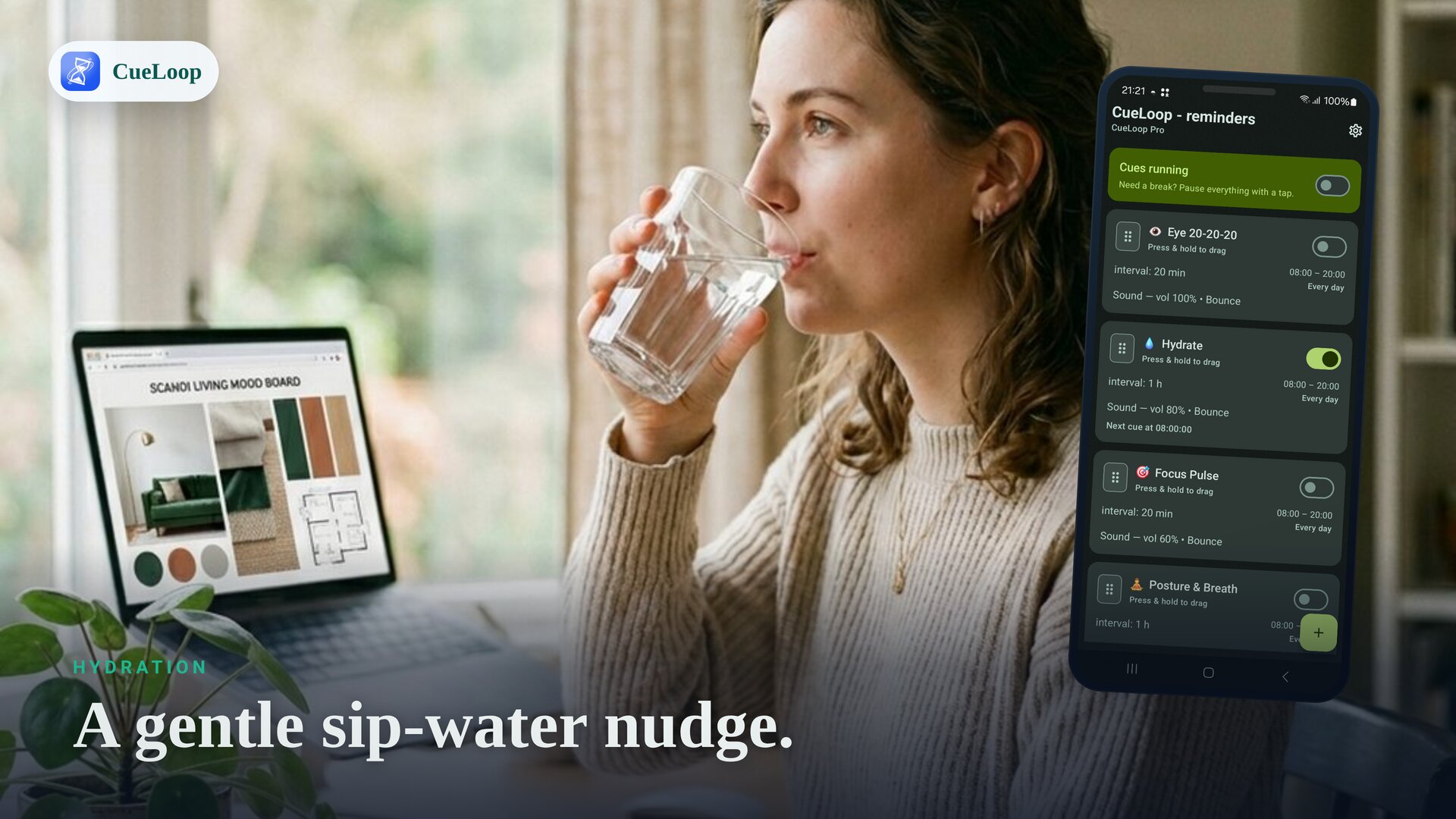
If you sit at a screen all day, a simple desk break reminder app can do a lot: a nudge to drink water, a prompt to fix your posture, and a cue to rest your eyes with the 20-20-20 rule. CueLoop runs all three as gentle recurring cues on your own cadence — a soft sound, a buzz or a quiet screen flash — with no account and no logging.
One app, three desk habits
Create a separate cue loop for each habit and set each to its own rhythm:
- Hydration reminder — a sip-water nudge every 30–60 minutes.
- Posture reminder — a "sit up, drop your shoulders" cue every 20–30 minutes.
- Eye breaks (20-20-20) — every 20 minutes, look ~20 feet (6 m) away for 20 seconds.
What is the 20-20-20 rule?
It's a common eye-strain tip for screen work: every 20 minutes, look at something about 20 feet away for 20 seconds to relax your focusing muscles. It's easy to forget mid-task — which is exactly what a recurring cue is for. Set a cue loop to a 20-minute interval and CueLoop reminds you, gently, every time.
Set it up in under a minute
- Tap to add a cue loop and name it (e.g. "Water", "Posture", "Eyes").
- Pick a mode — vibration or a screen flash keeps it silent at a shared desk.
- Set the interval and an active-hours window so cues stop after work.
- Use the instant Test button to feel the cue, then start now.
Calmer than a gamified tracker
Apps like WaterMinder or Plant Nanny turn hydration into logging and streaks, which works for some people but adds friction and an account. CueLoop takes the opposite approach: no intake logging, no account, no guilt — just a well-timed nudge you can act on and forget. The same goes for posture and eye breaks, all in one place.
Reliable, on-time cues
CueLoop uses Android exact alarms plus a foreground service so desk cues stay close to schedule. On some devices you may need to allow notifications, grant exact-alarm permission (Android 12+), or exclude the app from battery optimization — CueLoop links you straight to those settings.
Want the nudge on your wrist too? See the Wear OS reminder guide, or read how CueLoop works.
Frequently asked questions
Can one app cover water, posture and eye breaks?
Yes. Make a separate cue loop for each — a sip-water nudge, a posture reset and a 20-20-20 eye break — each on its own cadence and mode.
What is the 20-20-20 rule?
Every 20 minutes, look at something about 20 feet (6 m) away for 20 seconds to rest your eyes. Set a cue loop to 20 minutes and CueLoop reminds you.
How is this different from a water-tracking app?
Gamified trackers such as WaterMinder or Plant Nanny ask you to log intake and grow streaks. CueLoop just gives you a calm, well-timed nudge — no logging, no account, no guilt.
Can the reminders stay silent at work?
Yes. Use vibration or a brief screen flash instead of sound, so a desk cue does not disturb the room.
Ready to try it?
CueLoop is free to install. A working cue in seconds.